Introduction
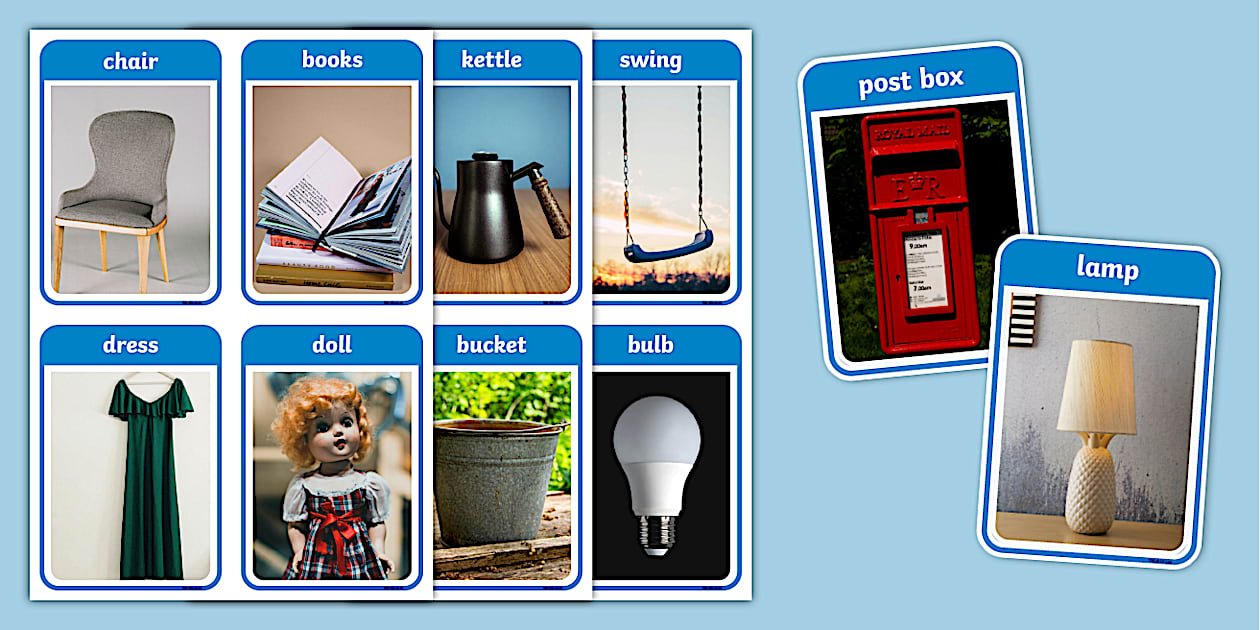
Learning how to make picture flashcards on Quizlet requires uploading high-resolution visual assets to the term-and-definition framework to reinforce cognitive association, spatial awareness, and observation skills in early learners. According to the National Association for the Education of Young Children (NAEYC), purposeful integration of concrete photographic imagery with digital study tools significantly enhances visual literacy, memory retention, and shape recognition in early childhood development. This digital-to-tangible workflow bridges screen-based reinforcement with physical Photo Flashcards for comprehensive early childhood education.
Visual Learning & Skill Snapshot:
- Core Focus: Step-by-step methodology on how to make picture flashcards on Quizlet using real photographic references.
- Target Skill: Spatial reasoning, visual discrimination, fine-motor proportion, and photo-based concept mastery.
- Key Recommendation: Pair digital image sets directly with printable Grid Drawing worksheets to translate virtual observation into tactile drawing accuracy.
Core Principles and Visual Learning Overview
Digital flashcard creation grounded in photographic observation promotes superior perceptual discrimination by training young minds to break complex real-world objects into manageable geometric segments. Understanding how to make picture flashcards on Quizlet involves curating crisp, uncluttered photo assets, cropping them to highlight primary focal points, and pairing them with descriptive text prompts that encourage children to analyze scale, proportion, and contours. When educators combine these custom digital decks with hands-on Educational Activities, students rapidly develop enhanced hand-eye coordination and spatial estimation abilities required for foundational artistic and mathematical comprehension.
Key Specifications and Breakdown
| Age / Learning Stage | Visual Skill & Grid Ratio | Pedagogical Application & Scaffolding |
|---|---|---|
| Ages 3-4 (Early Explorer) | 1:1 Simple Quadrants | Focuses on basic shape recognition and matching primary photographic references to simple outlines. |
| Ages 5-6 (Developing Observer) | 2:2 Symmetric Grid | Teaches proportion estimation and line tracking using real photo flashcards as structural guides. |
| Ages 7-8 (Advanced Practitioner) | 3:3 Complex Matrix | Refines detailed observation, shading interpretation, and precise contour replication from digital prompts. |
Visual-spatial training through structured photographic analysis builds neural pathways essential for geometric problem-solving and observational accuracy. — National Art Education Association (NAEA)
Step-by-Step Practical Application and Printing Guidelines
Executing the process of how to make picture flashcards on Quizlet begins by opening the creation dashboard, selecting the image upload option for each card, and ensuring that every uploaded graphic features high contrast and clean background isolation. Educators should select clear, realistic photographs rather than abstract illustrations to ground the learning experience in concrete visual reality. Once the digital set is populated, teachers and homeschoolers can print complementary reference grids, allowing young learners to cross-reference the digital flashcard details with physical pencil-and-paper reproduction sheets.
Common Challenges and How to Avoid Them
Preventing cognitive overload during digital and tactile visual instruction requires avoiding overly complex, cluttered photographic backgrounds that distract developing learners from core subjects. When figuring out how to make picture flashcards on Quizlet, creators frequently make the mistake of using low-resolution images or overly detailed photographs that obscure essential structural lines. Mitigate this by utilizing well-lit, centered photographic subjects and scaffolding the exercise by breaking down complex shapes into simple geometric anchor points before attempting fine-motor replication.
💬 Frequently Asked Questions
Explore More Free Learning Printables and Visual Activities on WePhotoAgency
Accessing comprehensive visual learning resources empowers educators and parents to cultivate foundational artistic and cognitive skills through structured exercises. Discover a wide selection of printable worksheets, visual reference guides, and developmental tools by visiting the main hub at WePhotoAgency.com to elevate daily learning experiences.
Visual Reference Gallery